Arena Messaging is a business communication platform designed to improve customer support. Many companies search for it because they face slow response times, repeated questions, and high support costs.
This article explains what Arena Messaging is, how it works, its main features, and how it improves performance. It also covers its benefits and limitations so readers can understand if it is useful for their needs.
What Is Arena Messaging?
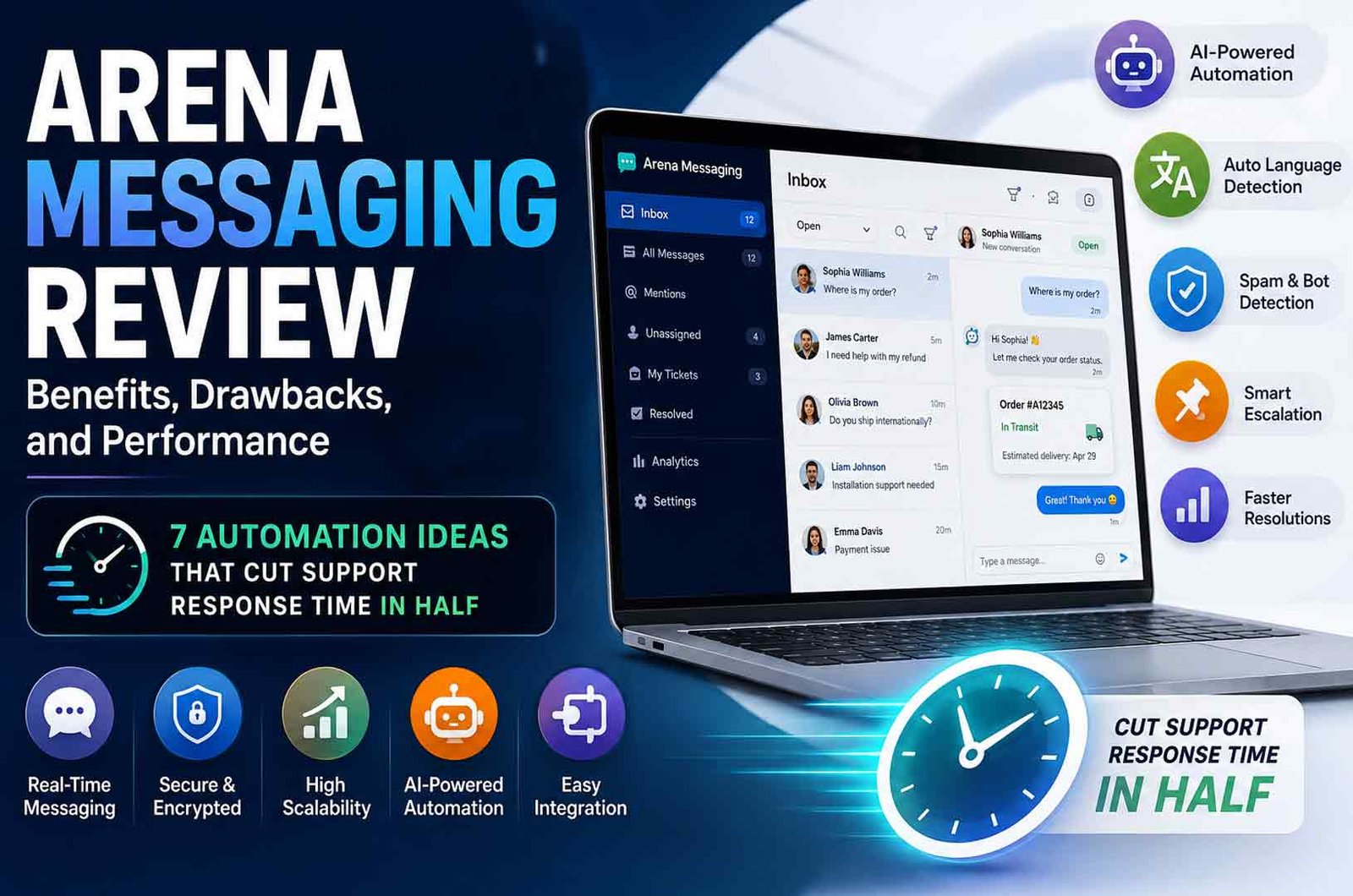
Arena Messaging is a system that helps businesses manage customer conversations in one place. It connects support teams with customers through real-time chat.
The platform is designed to handle large numbers of messages without delay. Instead of using separate tools, companies can manage all communication through a single system.
Arena Messaging is mainly used in customer support. It reduces manual work by automating common tasks. For example, it can answer simple questions, send updates, and route messages to the right team.
It is not just a chat tool. It is a structured system that combines messaging, data, and automation to improve how businesses respond to customers.
How Arena Messaging Works
Arena Messaging works by combining communication channels with automation and data systems.
When a customer sends a message, the system follows a simple process:
-
It collects the message and basic user details
-
It uses AI to understand the request
-
It sends the message to the correct team or tool
-
It provides helpful context to the agent or chatbot
This process removes the need for manual sorting.
The system is built around three main steps:
Intake The platform gathers customer information and the request. This may include order details, previous messages, or account data.
Routing and Triage Arena Messaging uses AI to classify the message. It decides where the request should go. For example, billing questions go to the billing team.
Resolution Support Agents receive the message with full context. This helps them respond faster and more accurately.
The platform also uses:
-
Keywords to detect urgency
-
Sentiment analysis to identify frustrated users
-
Automation triggers to take actions without human input
Messages are delivered in real time. This allows agents and customers to communicate without delay.
Key Features of Arena Messaging
Real-Time Communication
Arena Messaging delivers messages instantly. This helps avoid delays in conversations. Customers and agents can interact in real time, which improves clarity and speed.
AI-Powered Ticket Routing
The system reads incoming messages and understands the intent. It automatically sends each request to the correct department. This removes manual sorting and saves time.
Chatbot FAQ Automation
Arena Messaging uses chatbots connected to knowledge bases. These bots answer common questions such as shipping details or return policies. This reduces the number of tickets handled by agents.
Spam and Bot Detection
The platform filters unwanted messages before they reach agents. This keeps the system clean and allows teams to focus on real customers.
Language Detection and Translation
Arena Messaging detects the user’s language automatically. It translates messages in real time. This allows businesses to support global customers without extra tools.
Escalation Triggers
The system detects important keywords or negative sentiment. It flags urgent messages and sends them to senior staff. This helps resolve critical issues faster.
Cross-Device Accessibility
The platform works on mobile, desktop, and web. Agents can respond from different devices without losing data or context.
High Scalability
Arena Messaging supports very high message volumes. It can handle large traffic spikes without slowing down. This makes it suitable for growing businesses.
Security and Encryption
The platform includes built-in security features. Data is protected using encryption. This reduces the risk of unauthorized access.
Arena Messaging Automation Workflows
Automation workflows are the main strength of Arena Messaging. They remove repetitive work and speed up support processes.
Automated Ticket Routing
The system reads each message and sends it directly to the right team. This avoids delays caused by manual sorting.
For example, a refund request is sent straight to the billing team without waiting in a general queue.
FAQ Self-Service with Chatbots
Chatbots answer common questions instantly. They use stored knowledge to provide accurate responses.
This reduces the number of simple requests handled by human agents.
Automated Order Status Updates
Arena Messaging connects with order and delivery systems. It can send updates such as shipping status and delivery time.
Customers receive information without needing to ask.
Post-Resolution Follow-Up
After solving a problem, the system sends feedback requests automatically. This includes surveys like CSAT or NPS.
This ensures consistent feedback collection.
Spam and Bot Filtering Workflows
The platform detects and blocks spam messages. This keeps the support queue clean and reduces unnecessary workload.
Language Translation Automation
Messages are translated automatically. Agents can reply in their own language, and customers see the response in theirs.
This removes the need for external translation tools.
Escalation Automation
The system detects urgent cases based on keywords or sentiment. These messages are moved to a higher priority level.
This helps teams handle critical issues quickly.
Performance and Efficiency
Arena Messaging focuses on improving speed and efficiency in customer support.
Automation reduces the time needed to handle each request. Many routine questions are answered without human involvement.
Reported data shows that automated systems can handle up to 80% of common inquiries. This reduces workload for support teams.
Time savings are also significant. Different workflows save several hours each week. For example:
-
FAQ automation reduces repetitive queries
-
Ticket routing removes sorting delays
-
Order updates reduce customer follow-ups
-
Spam filtering removes unnecessary work
These improvements allow teams to handle more requests without increasing staff.
Response times become faster because messages are processed instantly. Agents also work more efficiently because they receive organized and relevant information.
Arena Messaging is especially useful for businesses with high message volume. It helps maintain performance even during peak periods.
Benefits of Arena Messaging
Arena Messaging helps businesses improve customer support in several clear ways.
-
Faster response times Automation removes delays. Messages are sorted and answered quickly.
-
Lower workload for agents Chatbots and workflows handle repetitive tasks. Agents focus on complex issues.
-
Reduced support costs Companies need fewer manual resources to manage large volumes of messages.
-
Better customer experience Customers get quick and accurate replies. This improves satisfaction.
-
Proactive communication The system sends updates before customers ask. This reduces unnecessary queries.
-
Improved efficiency Tasks like routing, follow-ups, and filtering run automatically.
-
Global support Language detection and translation allow businesses to serve users worldwide.
Drawbacks and Limitations
Arena Messaging also has some limitations that businesses should consider.
-
Setup and integration effort The platform needs proper setup. Integration with existing systems can take time.
-
Dependence on data quality Automation works best when knowledge bases and data are accurate and complete.
-
Learning curve for teams Staff need training to use the system effectively and manage automated workflows.
-
Limited handling of complex issues AI can manage simple tasks, but human agents are still required for complex cases.
-
Limited public information Details about pricing, company background, and availability are not clearly available.
Integration and Compatibility
Arena Messaging is designed to work with existing business systems.
It can connect with:
-
CRM systems to access customer history
-
Helpdesk tools to manage tickets
-
Order and logistics systems to provide real-time updates
-
Marketing platforms for campaigns and notifications
These integrations allow data to move between systems. This helps agents see full customer context without switching tools.
The platform works across:
This ensures teams can access the system from different environments.
Best Practices for Using Arena Messaging
To get the best results, businesses should follow simple practices.
-
Start with basic automation, such as FAQ responses or ticket routing
-
Focus on high-volume and repetitive queries first
-
Monitor performance and improve workflows regularly
-
Keep the knowledge base updated with accurate information
-
Train agents to handle escalations smoothly
-
Use integrations to connect all systems for better efficiency
These steps help avoid common problems and improve results over time.
Common Use Cases
Arena Messaging is used in different situations where fast communication is required.
-
Customer support automation for handling large volumes of queries
-
E-commerce order tracking and delivery updates
-
FAQ handling through chatbots
-
Feedback collection after issue resolution
-
Multilingual support for global customers
-
Spam filtering to protect support channels
-
Priority handling for urgent customer issues
These use cases show how the platform improves both speed and organization.
Who Should Use Arena Messaging?
Arena Messaging is suitable for:
-
Customer support teams managing many daily messages
-
E-commerce businesses handling order-related queries
-
Large companies with high communication volume
-
Businesses looking to reduce manual support work
-
Organizations that want faster and more efficient responses
Smaller teams can also benefit if they deal with repeated customer questions.
Future of Arena Messaging and Automation
Customer support is moving toward automation and real-time communication.
Arena Messaging follows this trend by focusing on:
-
Proactive support Systems send alerts and updates before problems arise.
-
Personalized communication Integration with CRM systems provides context for each user.
-
Stronger automation AI continues to improve in understanding and responding to requests.
-
Digital transformation Messaging platforms are becoming a core part of business operations.
These changes show that automation will continue to play a major role in customer service.
Bottom Line
Arena Messaging is a practical solution for improving customer support.
It combines real-time messaging, AI, and automation to reduce response times and workload. Businesses can handle more requests without increasing staff.
However, it requires proper setup and depends on accurate data. It also does not replace human agents for complex tasks.
Overall, Arena Messaging is useful for companies that want faster, more efficient, and scalable customer communication.
(FAQs)
How does Arena Messaging reduce response time?
It uses AI to sort messages, answer common questions, and route requests instantly to the right team.
Can Arena Messaging replace human agents?
It handles simple tasks, but human agents are still needed for complex problems.
Does Arena Messaging support multiple languages?
It detects and translates languages automatically for global communication.
Can Arena Messaging integrate with existing tools?
It connects with CRM systems, helpdesk tools, and other business platforms.
Is Arena Messaging secure?
It includes encryption and data protection features to keep information safe.
Keep Reading:
Platform Event Trap: Benefits, Drawbacks, and Better Platform








 Life Style1 year ago