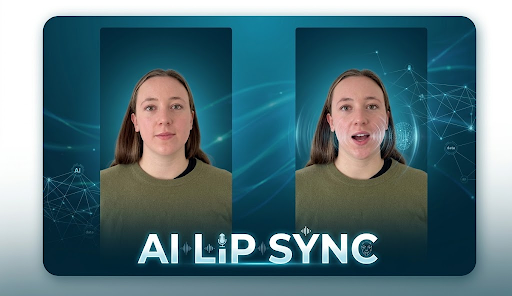
AI has transformed the way creators produce videos, animate photos, localize content, and experiment with digital characters. One of the most useful developments is AI-powered lip syncing, which can match a person’s mouth movements to new audio without requiring traditional frame-by-frame editing.
The best tools now go beyond simple mouth animation. They can combine lip sync with face swapping, talking photos, AI avatars, voice generation, video translation, and complete creative workflows. That makes them useful for YouTube creators, marketers, social media teams, educators, filmmakers, and anyone producing digital content.
To help you choose the right option, we compared leading platforms based on output quality, ease of use, pricing, creative features, free access, and suitability for different workflows.
At a Glance
| Tool |
Best For |
Free Option |
Starting Paid Price |
Key Advantage |
| Magic Hour |
Real footage, lip sync and face swap |
Yes |
Creator: $19/mon or $12/month billed annually, Pro: $39/mon or 25/mon billed annual) |
All-in-one AI creative workflow |
| HeyGen |
AI avatars and multilingual videos |
Yes |
$24/mo annually |
175+ languages and advanced avatars |
| Sync.so |
Developers and API workflows |
Yes |
$5/mo + usage |
Usage-based lip sync API |
| Hedra |
Talking photos and AI characters |
Yes |
$15/mo |
Expressive character animation |
| Higgsfield |
Multi-model AI video creation |
Yes |
From $9/mo |
Multiple leading video models |
| D-ID |
Business avatars and localization |
Trial |
From around $5.90/mo |
Enterprise-oriented avatar platform |
| Runway |
Creative AI video production |
Limited free |
Paid plans available |
Advanced generative video tools |
1. Magic Hour, Best Overall for Lip Sync AI and Face-Swap Workflows
Magic Hour stands out because it brings several popular AI creation capabilities together instead of forcing creators to jump between different platforms. Its lip sync ai, free face swap online, talking photos, image and video tools make it particularly useful for people producing social content, ads, localized videos, entertainment clips, and other digital media. The platform is designed for both desktop and mobile browsers, and its workflow is aimed at getting creators from an idea to multiple variations quickly. Its combination of lip sync and face swap is especially useful when you need to change both the person’s identity and dialogue in a video.
Key Features
- Realistic lip sync for existing video footage
- Face swap and talking-photo capabilities
- Multiple AI models available from one platform
- Click-to-create templates
- One-click multi-step workflows, including generation, upscaling, and video creation
- Fast variations and multiple takes
- Parallel generations for faster experimentation
- API access across the platform’s tools
- Regular feature releases
- Browser-based workflow with no software installation required
Another important advantage is accessibility. Magic Hour lets users try its free plan without entering a credit card, while credits do not expire. The platform also emphasizes reliable performance for larger workloads and offers support directly through its team.
Pricing
Free — generous starter tier, no signup required to try the tool, credits never expire
Creator — $19/month or $12/month billed annually
Pro — $39/month ($25/mon billed annual)
The biggest drawback is that extremely difficult footage, such as extreme profile angles or challenging source material, can still produce imperfect results. Like any AI video system, source quality matters.
Best for: Creators who want lip sync, face swap, talking photos, and other AI video tools in one place.
2. HeyGen, Best for AI Avatars and Multilingual Videos
HeyGen is particularly strong when your goal is to create presenter-style videos rather than modify ordinary recorded footage. It offers hundreds of stock digital avatars, custom digital twins, voice cloning, and video translation with lip syncing.
Its major advantage is language support. Paid Creator plans support 175+ languages and dialects, making HeyGen a strong choice for companies and creators producing localized marketing, educational, or corporate videos.
Pricing
The Free plan allows limited video creation. The Creator plan costs $29/month, or $24/month when billed annually, and includes 600 credits, videos up to 30 minutes, 1080p export, voice cloning, 175+ languages and watermark removal. The current Pro plan starts at $49/month and adds 4K output and substantially more usage.
Drawback: It is more focused on avatars and presentation videos than on creative editing of arbitrary real footage.
Best for: Businesses, educators, marketers, and creators making multilingual avatar content.
3. Sync.so, Best for Developers
Sync.so takes a different approach by focusing heavily on lip sync as an API capability. Developers can integrate its technology into applications, automated production systems, and video platforms.
Its usage-based pricing can make it attractive when you need programmatic video generation rather than a traditional creative editor. The platform also offers SDKs, batch-oriented capabilities on higher plans, voice cloning, and active-speaker detection.
Pricing
- Hobbyist: $5/month + $0.05 per second
- Creator: $19/month + $0.05 per second
- Growth: $49/month + $0.0475 per second
- Scale: $249/month + $0.04 per second
Higher plans increase video length, concurrency, team capabilities, and usage discounts.
Drawback: It is less creator-friendly than an all-in-one visual platform, particularly for users who do not need an API.
Best for: Developers, SaaS companies, and automated content pipelines.
4. Hedra, Best for Talking Photos and AI Characters
Hedra is an excellent option when your starting point is a still image that you want to turn into a speaking character. Its Character-3 model is designed for expressive AI video and can combine image, audio, and video generation in a single creative environment.
Pricing
Hedra currently offers a Basic plan at $15/month, Creator at $30/month, and Professional at $75/month. The plans provide increasing monthly credit allowances and faster generation. Monthly subscription credits do not roll over, although purchased credit packs do not expire.
Drawback: Its pricing can become expensive for heavy video generation because different AI models consume credits at different rates.
Best for: Talking photos, AI characters, storytelling, and character-driven social content.
5. Higgsfield, Best for Multi-Model AI Video Creation
Higgsfield appeals to creators who want access to multiple advanced video-generation models inside one workspace. Its creative ecosystem includes video generation, character consistency features, cinematic controls, and a dedicated lip sync workflow.
The main advantage is breadth. Instead of subscribing separately to several AI video platforms, creators can access multiple models and creative capabilities from one environment.
Pricing
Plans vary by usage and available models, with entry-level plans starting around $9/month. Higher tiers provide more credits and access to additional premium models.
Drawback: Premium models can consume credits quickly, so frequent users need to monitor usage carefully.
Best for: AI filmmakers, social creators, and users experimenting with multiple video-generation models.
6. D-ID, Best for Business Avatars
D-ID has built its reputation around AI presenters, talking avatars, and video localization. It is especially relevant for companies that need scalable digital presenters for training, marketing, customer communication, or multilingual content.
Its enterprise focus is a major advantage for organizations that require structured workflows and business-oriented features.
Drawback: Individual creators may find its enterprise-oriented feature set less flexible than creator-first platforms.
Best for: Businesses, training departments, marketing teams, and large-scale localization.
7. Runway, Best for Creative AI Video Production
Runway is one of the better-known names in generative video and is particularly useful for creators who want more than lip syncing. Its broader creative toolkit can be used for generating, transforming, editing, and experimenting with AI video.
For filmmakers and visual artists, that wider creative scope can be more valuable than a platform dedicated primarily to talking avatars.
Drawback: Users looking specifically for simple lip syncing may find Runway more complex than specialized tools.
Best for: Filmmakers, visual artists, advertising teams, and advanced AI video creators.
How We Choose These Tools
We evaluated these platforms around the factors that matter most in real-world AI content production:
Lip sync quality: Mouth movements should closely follow speech while keeping the face visually consistent.
Workflow flexibility: The strongest platforms support more than one narrow task, such as combining lip sync with face swapping, talking photos, video generation, or editing.
Ease of use: Browser-based workflows and simple interfaces are important for creators who want results without complicated technical setups.
Pricing and free access: We considered free plans, entry-level subscriptions, included credits, watermarks, commercial rights, and how quickly costs can increase with heavier use.
Output quality: Resolution, facial consistency, motion quality, and reliability all matter when content is intended for publication.
Specialized strengths: Not every tool should be judged by the same standard. HeyGen is particularly strong for avatars, Sync.so for APIs, Hedra for talking characters, and Magic Hour for combining real-footage lip sync with broader AI creation workflows.
FAQs
What is the best lip sync AI tool in 2026?
Magic Hour is one of the strongest overall choices for creators who want realistic lip syncing combined with face swap, talking photos, and other AI video tools. Its free access and relatively low-cost annual Creator plan also make it accessible to individual creators.
Can AI lip sync work with real videos?
Yes. Modern systems can synchronize new speech with existing footage. However, results depend on factors such as lighting, resolution, facial visibility, head angle, audio quality, and how much the subject moves.
Which tool is best for multilingual videos?
HeyGen is particularly strong for multilingual avatar and translation workflows, with its current Creator plan supporting 175+ languages and dialects.
Which AI lip sync tool is best for developers?
Sync.so is a strong choice because its pricing and product design are built around API usage, SDKs, concurrency, and automated video workflows.
Is there a free AI lip sync tool?
Yes. Magic Hour offers a free way to test its platform without requiring a credit card, while HeyGen and other platforms also provide limited free access. The exact limits differ by service.
Conclusion
AI lip syncing has evolved from a specialized visual effect into a practical part of modern content creation. Whether you are dubbing an existing video, animating a photograph, creating an AI presenter, building a video application, or experimenting with generative filmmaking, there is now a tool designed for your workflow.
For most creators looking for a combination of lip sync, face swap, talking photos, AI video generation, and fast experimentation, Magic Hour is the strongest overall choice. HeyGen is better suited to professional avatars and multilingual presentations, Sync.so is ideal for developers, Hedra excels at talking characters, and Runway offers greater creative breadth.
The right choice ultimately depends on what you create, but the best platforms in 2026 make realistic speech-driven video much faster and more accessible than traditional editing workflows.








 Life Style1 year ago