Image search techniques are methods used to find images online using text, images, or visual patterns. People search for this topic because they want faster and more accurate ways to find images, verify content, or identify objects.
These techniques are used by students, researchers, marketers, and everyday users. In this article, you will learn how image search techniques work, the main types, and the tools used to get better results.
What Are Image Search Techniques?
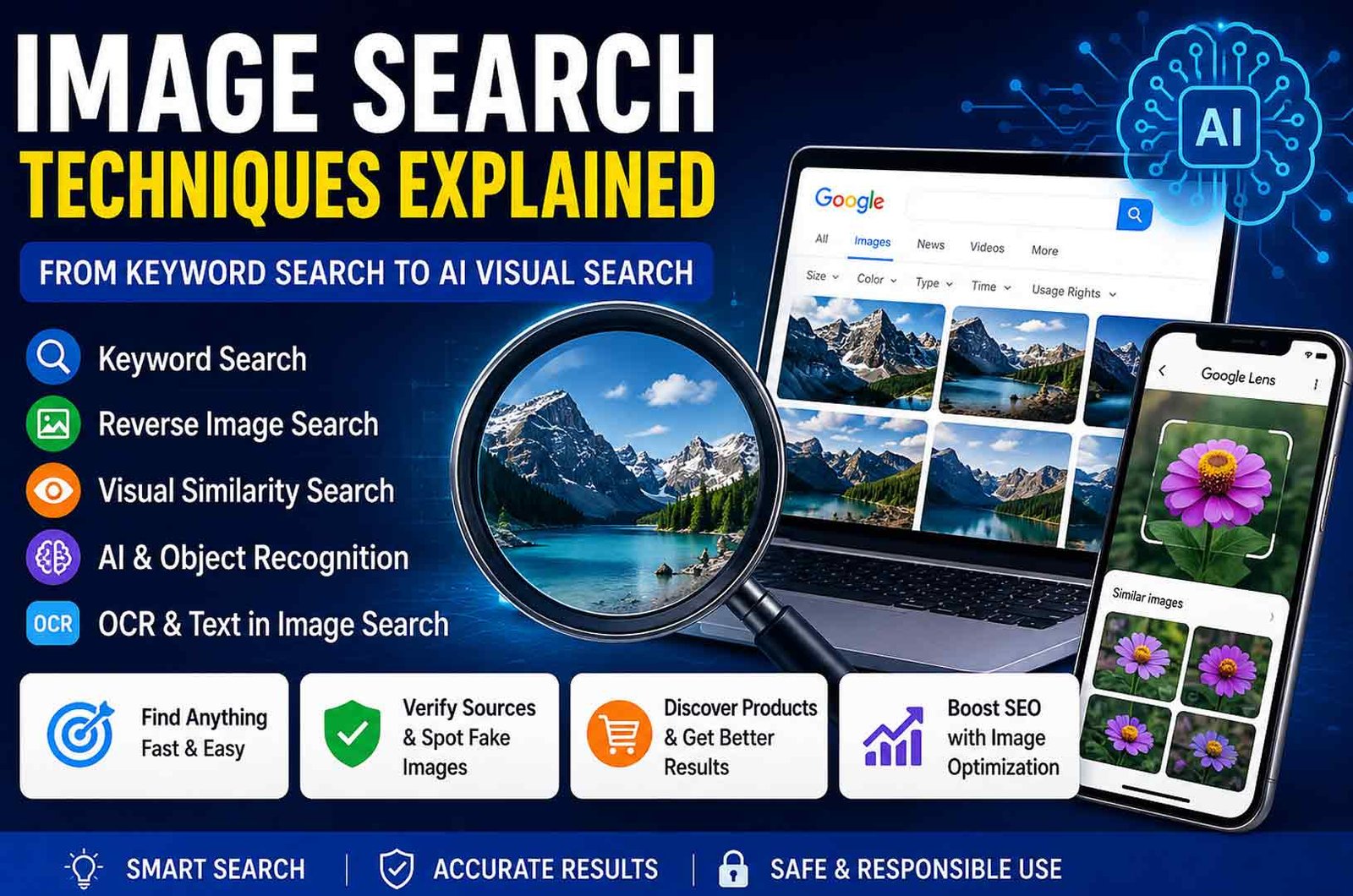
Image search techniques are ways to find images using different methods. These methods include typing keywords, uploading an image, or using AI tools to analyze visual content.
Unlike normal search, image search does not depend only on words. It also uses visual data such as colors, shapes, and patterns. This helps search engines understand what an image shows.
These techniques are important because many images do not have clear text descriptions. Image search makes it easier to find them based on how they look.
Why Image Search Is Important Today
Image search techniques are now used in many daily tasks. They help people find and verify visual information quickly.
One major use is fact-checking. Users can check if an image is real or taken from another event. This is useful in news and social media.
Image search also helps in online shopping. People can upload a product photo and find similar items. This saves time and improves search results.
It is also important for website owners. Image search can bring traffic through search engines. It also helps protect images from being used without permission.
How Image Search Techniques Work
Image search techniques use a mix of technologies to understand images. These include computer vision and data analysis.
When a user searches, the system looks at several signals.
First, it analyzes visual data. It studies shapes, colors, and patterns in the image.
Second, it checks metadata. This includes file names, alt text, and image details.
Third, it looks at context. It reads the text around the image on a webpage.
All these signals are combined to show the most relevant results.
Main Types of Image Search Techniques
Image search techniques can be grouped into different types. Each type is designed for a specific purpose.
Some methods are simple and use text. Others use images or advanced AI to understand content.
Choosing the right method depends on what you want to find. For example, keyword search is good for general browsing, while reverse search is better for finding exact matches.
Keyword-Based Image Search
Keyword-based image search is the most common method. Users type words into a search engine to find images.
Search engines look for images that match those words. They use file names, tags, alt text, and surrounding content.
This method is simple and fast. It works well when images are properly labeled.
However, it has limits. If an image does not have correct metadata, it may not appear in results. This can reduce accuracy.
Reverse Image Search Explained
Reverse image search is a method where the image itself is used as the search query. Instead of typing words, users upload a photo or paste an image link.
The search engine then finds exact matches or close versions of that image. This method is very useful when you do not know the right keywords.
Reverse image search is commonly used for:
-
Checking if an image is real or reused
-
Finding the original source of an image
-
Locating higher-quality versions
It is one of the most powerful image search techniques for verification and research.
Visual Similarity Search
Visual similarity search focuses on finding images that look similar. It does not look for exact copies.
The system analyzes patterns such as color, texture, and shape. It then shows images with similar visual features.
This method is widely used in online shopping. For example, users can upload a clothing image and find similar products.
It is useful when you want ideas or alternatives instead of exact matches.
Object Recognition and OCR in Image Search
Object recognition is an advanced feature of image search techniques. It uses AI to identify objects inside an image.
For example, it can recognize plants, animals, buildings, or products. This helps users learn about what they see.
OCR, or Optical Character Recognition, is another important feature. It reads text inside images.
Users can copy text from screenshots or translate it into another language. This is useful for documents, signs, and menus.
Top Image Search Tools
Many tools support image search techniques. Each tool has different strengths.
Some tools are better for keyword searches. Others are designed for reverse image search or object recognition.
Choosing the right tool depends on your goal. For example, some tools are better for research, while others are useful for shopping or design.
Google Images and Google Lens
Google Images is one of the most widely used tools. It is best for keyword-based image search. Users can also filter results by size, color, or usage rights.
Google Lens is a more advanced tool. It uses AI to understand images. It can identify objects, read text, and even translate languages.
Google Lens also allows users to search by pointing their camera at an object. This makes it useful for real-time search.
These tools are available on both desktop and mobile devices.
Other Popular Image Search Tools
TinEye is a specialized tool for reverse image search. It focuses on finding exact matches and tracking where an image appears online.
Bing Visual Search offers useful features like image cropping. Users can select a part of an image and search for that specific item.
Pinterest Lens is designed for discovery. It helps users find visually similar ideas, especially in fashion, home design, and food.
Each tool serves a different purpose. Using more than one tool can improve results.
Advanced Image Search Techniques
Basic searches are not always enough. Advanced image search techniques help users get more accurate results.
These techniques are useful for research, journalism, and detailed analysis. They allow users to refine searches and verify information.
Using a combination of methods often gives better results than relying on one technique.
Finding the Original Source of an Image
Finding the original source is one of the most important uses of image search techniques. It helps you know where an image first appeared and who created it.
You can do this by uploading the image to tools like Google Images or TinEye. After that, sort the results by oldest. This shows earlier versions of the image.
This method is useful for:
-
Verifying news and social media posts
-
Finding the original photographer or website
-
Checking if an image was reused from another event
It is a simple way to avoid false information.
Using Advanced Search Operators
Advanced search operators help you refine your image search. They are special commands used in search engines.
For example:
-
intitle: finds pages with specific words in the title
-
site: limits results to one website
-
filetype: shows only certain image formats like PNG or JPG
These operators make image search techniques more accurate. They are useful when basic search results are too broad.
How to Detect Fake or Edited Images
Image search techniques can help detect fake or edited images. This is important when checking online content.
Reverse image search can show where the image has appeared before. If the same image is used in different contexts, it may be misleading.
You can also check:
Image search alone is not enough. It is better to verify the information using trusted sources as well.
Image Search Techniques for SEO
Image search techniques play an important role in SEO. They help websites appear in search results and bring more traffic.
Search engines do not only read text. They also analyze images. Proper image use can improve visibility.
Websites that use optimized images can attract users through image search results. This makes image SEO an important part of digital content.
Image Optimization and Ranking Factors
Search engines use several factors to rank images. These factors help them understand what an image shows.
Important factors include:
-
Alt text: describes the image clearly
-
File name: should use simple and relevant words
-
Context: text around the image should match the topic
-
Quality: clear and high-resolution images perform better
-
Freshness: updated images may rank higher
Using these factors correctly improves image visibility in search results.
Link Building with Image Search
Image search techniques can also help with link building. This is useful for website owners.
You can create original images like charts or infographics. Once these images are online, other websites may use them.
By using reverse image search, you can find websites that use your images. If they do not give credit, you can request a backlink.
This method helps improve website authority and SEO.
Benefits of Image Search Techniques
Image search techniques offer many advantages. They make it easier to find and verify visual content.
Main benefits include:
-
Fast and simple image discovery
-
Better accuracy with visual search tools
-
Useful for research and fact-checking
-
Helps in online shopping and product search
-
Supports SEO and content visibility
These benefits make image search useful for both personal and professional use.
Limitations and Common Problems
Image search techniques are useful, but they have some limits.
Common problems include:
-
Incorrect or unrelated results
-
Dependence on image quality
-
Missing or wrong metadata
-
Difficulty finding rare or new images
Sometimes results may look correct but are not accurate. This is why users should always double-check important information.
Safety, Privacy, and Legal Considerations
Image search involves some risks that users should understand.
Safety: Image search helps detect fake content, but users must still verify results carefully.
Privacy: Some images contain EXIF data. This may include location or device information. Uploading such images can expose personal details.
Legal: Images are often protected by copyright. Using images without permission can cause legal issues. Always check usage rights before using an image.
Best Practices for Image Search
To get better results, follow simple best practices.
-
Use clear and specific keywords
-
Upload high-quality images for reverse search
-
Try multiple search engines
-
Use filters like size, color, and usage rights
-
Always verify the source of the image
These steps improve accuracy and save time.
Bottom Line
Image search techniques help users find, verify, and understand images more easily. They combine simple methods like keyword search with advanced AI tools like object recognition.
Using the right technique improves accuracy and saves time. It also helps avoid mistakes when working with images online.
Learning these methods makes it easier to use the visual web in a smart and effective way.
(FAQs)
What is reverse image search?
It is a method where you search using an image instead of keywords.
Which tool is best for image search?
Google Images, Google Lens, TinEye, and Bing Visual Search are widely used tools.
How can I find the original source of an image?
Use reverse image search and sort results by oldest.
Is image search free to use?
Most tools are free, but some platforms may offer paid features.
What are common mistakes in image search?
Using low-quality images, relying on one tool, and not verifying results.
How do I improve image search results?
Use specific keywords, high-quality images, and try different search engines.
Keep Reading:
WeebCentral Review: Free Manga Site Features, Risks, and Alternatives







 Life Style1 year ago