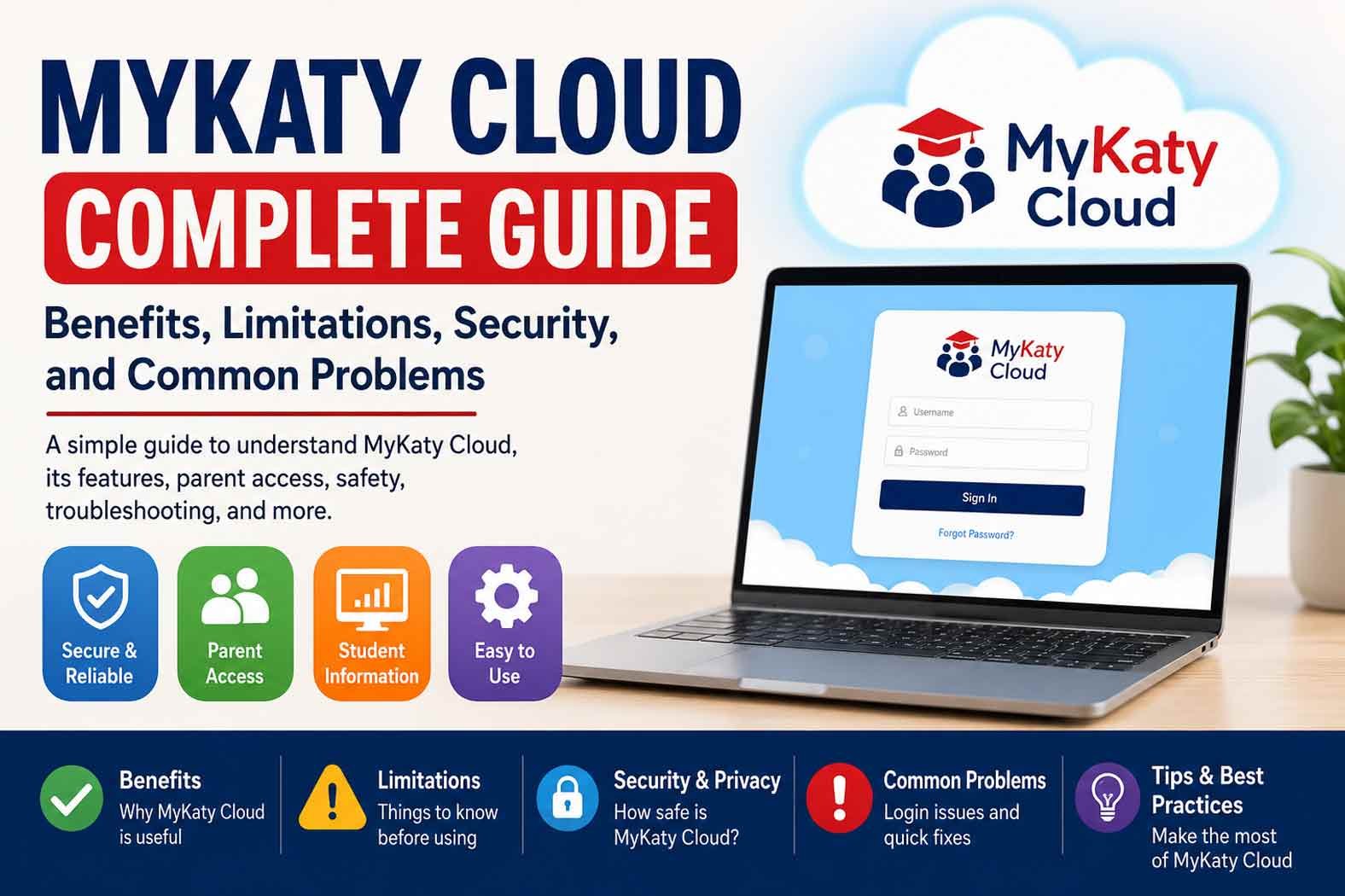
MyKaty Cloud is the digital portal used by Katy Independent School District (Katy ISD) in Texas. It gives students, staff, parents, and guardians one place to reach many school apps and online learning resources. It also uses single sign-on, so users do not always need a separate password for every connected service.
People often search for MyKaty Cloud because they need help with login, Canvas, Home Access Center (HAC), digital books, library resources, or other Katy ISD tools. This guide explains what MyKaty Cloud is, how it works, who can use it, and what users can find inside it.
What Is MyKaty Cloud?
MyKaty Cloud is a centralized web portal for Katy ISD. Its main job is to bring many school applications and digital resources into one place. Instead of visiting many separate websites, an authorized user can sign in to MyKaty and see the services available to their account.
MyKaty is not an independent commercial company or a general cloud-storage service. It is part of Katy ISD’s digital system. The apps shown to a user can depend on whether that person is a student, parent, teacher, or other staff member.
The portal is also more than a simple student login page. Students can use it for learning tools and library resources. Staff can reach district and classroom applications. Parents and guardians can use it to reach services such as Home Access Center and SchooLinks.
MyKaty Cloud has been part of Katy ISD’s technology system for several years. District records show that it was already being used as a single sign-on portal during the 2018–19 school year. Katy ISD reported more than four million MyKaty logins during that period. That number is a historical figure and should not be treated as current usage.
How Does MyKaty Cloud Work?
MyKaty Cloud uses Single Sign-On (SSO) to make access to supported school applications easier. The basic idea is simple. You sign in to the main portal with your Katy ISD account. After that, you can open supported apps from the portal without entering another username and password each time.
ClassLink is part of the access system behind MyKaty’s digital resources. Katy ISD’s library information says students are automatically logged in through ClassLink when they access MyKaty Cloud resources.
The process usually works like this:
-
Open the official Katy ISD MyKaty portal.
-
Enter your Katy ISD ID and password.
-
Sign in to your account.
-
View the applications and resources available to you.
-
Select an application to open it.
The exact list of apps is not the same for everyone. A student may see learning and library tools, while a staff member may see classroom or administrative systems. Parents and guardians have their own set of available services.
SSO does not mean every Katy ISD application uses exactly the same login process. District records have noted that some applications were not integrated into the single sign-on system. Users may therefore still be asked to sign in separately to certain services.
Katy ISD also uses WebPass with supported systems. It helps users stay authenticated when moving between certain district applications. WebPass is an access tool, not a separate learning platform.
Who Can Use MyKaty Cloud?
MyKaty Cloud is available to authorized members of the Katy ISD community. The main groups are students, district staff, parents, and guardians.
Students
Students are some of the main users of MyKaty Cloud. They can use their Katy ISD account to reach classroom tools, digital learning resources, library services, and other applications assigned to them.
The resources can change based on the student’s school, grade, courses, and district settings. This means two students may not see exactly the same app list.
Students can also use MyKaty to reach Canvas, digital textbooks, research tools, eBooks, and other learning resources.
Teachers and Staff
Teachers and other Katy ISD employees can also use MyKaty. Their portal can contain different applications from those shown to students.
Staff may use MyKaty to reach classroom systems, district tools, instructional resources, and other services connected to their role.
Staff accounts use Katy ISD credentials. The district’s staff technology information explains that an employee’s Katy ISD ID is connected to the district account.
Parents and Guardians
Parents and guardians can use MyKaty to access certain student and family services. They use the same credentials connected with Home Access Center.
Parent access is not identical to student access. For example, Katy ISD states that parents do not have access to students’ digital textbooks.
Parents can use the MyKaty system to reach services such as Home Access Center and SchooLinks. They can also find certain family technology and library-related resources.
MyKaty Cloud Features and Educational Resources
MyKaty Cloud works as a central entry point for many Katy ISD resources. The exact list can change over time, so users should expect their available apps to depend on their role and current district setup.
Canvas
Canvas is Katy ISD’s learning management system. Students can reach Canvas through MyKaty.
Canvas can contain course information, assignments, calendars, events, and learning materials. It gives students a place to follow their classes and keep track of school work.
Katy ISD also provides Canvas access for parents in an observer role in supported situations. Parent access can help families follow a student’s course activity without giving the parent the same account as the student.
Home Access Center
Home Access Center, often called HAC, is the district system used to view important student information.
Depending on the account and available features, HAC can show information such as:
-
Grades
-
Assignments
-
Attendance
-
Schedules
-
Test information
-
Other student records
MyKaty provides a way for parents and students to reach HAC. However, HAC and MyKaty are separate systems. MyKaty acts as the access point, while HAC handles student information.
Digital Textbooks and Learning Tools
Students can use MyKaty to reach digital textbooks and other online learning programs provided by Katy ISD.
The district also provides learning resources such as Discovery Education, BrainPOP, and EnVision through its digital learning environment. The exact programs available can depend on the student’s school and courses.
Parents should not assume that they have the same access as their children. Katy ISD specifically states that digital textbooks are available to students, not parents.
A+ Library Resources
The A+ Library Resources area is an important part of MyKaty Cloud. It brings together digital library materials that students can use for schoolwork and research.
Katy ISD says this area includes resources such as databases, online encyclopedias, eBooks, and streaming content.
These resources can be useful when students need reliable information for reports, projects, and other assignments.
eBooks and Audiobooks
Katy ISD also provides digital reading through Sora. Students can use Sora to access thousands of age-appropriate eBooks, audiobooks, and magazines on supported devices.
This makes MyKaty useful beyond daily classwork. Students can also use the district’s digital library resources for reading and research.
Katy ISD’s library information reports more than 192,000 eBook circulations. This is a district library statistic, not a claim that all of these books are stored inside MyKaty.
Research Databases and Online Encyclopedias
MyKaty gives students access to research resources through the district’s library system. These include online databases and encyclopedias.
The supplied sources mention services such as Gale and Britannica. However, the current official library page reviewed for this guide does not list every database by name. For that reason, the safest way to describe this feature is that MyKaty provides access to a range of district-approved research databases and reference resources.
Streaming and Other Digital Resources
The MyKaty library area also includes streaming educational content and other digital resources.
The available services can change as Katy ISD updates its technology programs and licenses. Students should use the resources currently shown in their own MyKaty account rather than relying on an old list found online.
MyKaty Cloud, Canvas, and Home Access Center
MyKaty, Canvas, and HAC are closely connected, but they have different jobs.
MyKaty Cloud is the central access portal. It helps users find and open district applications.
Canvas is the learning management system. It is used for courses, assignments, calendars, class materials, and other learning tasks.
Home Access Center is mainly used for student information such as grades, attendance, and schedules.
Keeping these roles separate makes the system easier to understand. If a student needs to work on a course assignment, Canvas is usually the relevant system. If a parent wants to check grades or attendance, HAC is usually the relevant system. MyKaty helps users reach these services.
Katy ISD has also added stronger security steps for certain parent HAC access. The district’s HAC page says that, beginning January 15, 2025, guardians who had never logged into MyKaty were required to do so for HAC access and set up Multi-Factor Authentication.
This means parents may need an extra verification step when accessing certain student information.
MyKaty Cloud for Parents and Families
MyKaty can be useful for parents who want to stay connected with their child’s school information.
Parents and guardians use their HAC-related credentials to access MyKaty. After signing in, they may see services connected to their family account.
One important service is SchooLinks. Katy ISD uses SchooLinks for course planning and related student activities. Students can find the SchooLinks tile in MyKaty, while parents can also reach supported parent features through their MyKaty account.
Parents can also find certain library and instructional permission tools through MyKaty. These can include options related to library notifications, classroom library materials, and book-related activities.
Families with more than one child may also need to link student information. Katy ISD advises parents who want multiple Home Access accounts connected to one login to contact the campus registrar.
For technology questions, parents can also use Katy 1 Source, which provides help articles, instructions, and videos for common district technology tasks.
Supported Devices and System Requirements
MyKaty Cloud does not require a powerful computer. It is mainly a web-based service, so the basic requirements are simple.
Users generally need:
-
A valid Katy ISD account.
-
An internet connection.
-
A supported web browser.
-
A computer, tablet, or smartphone.
Katy ISD school information states that MyKaty can be used with major operating systems, including Windows, iOS, and Android.
This means students and families can use the portal on many common devices. The experience may differ depending on the device and browser.
Individual applications inside MyKaty can have their own requirements. For example, a learning app may work differently on a phone than on a laptop. If a specific application does not work correctly, its own support information may be needed.
There is also an important distinction about mobile apps. MyKaty is confirmed as a web portal, but the sources reviewed do not establish a separate official standalone MyKaty Cloud mobile app. Users should therefore avoid downloading unofficial apps that claim to be the official MyKaty service.MyKaty Cloud Security and Privacy
MyKaty Cloud uses centralized sign-in to make access to Katy ISD services easier. Instead of keeping many different school passwords, users can use their Katy ISD account for supported services.
Katy ISD also uses Multi-Factor Authentication (MFA) for certain parent and Home Access Center access. MFA adds another verification step after the password.
WebPass is another tool used with supported Katy ISD systems. It can help with authentication when users move between connected services.
Users should still protect their Katy ISD ID and password. They should avoid sharing login details and should use official Katy ISD pages when signing in.
MyKaty connects users with third-party educational services too. Those services may have their own privacy rules and security practices. There is not enough reliable information to claim specific encryption standards, security certifications, or data-retention rules for every service connected to MyKaty.
Benefits of MyKaty Cloud
MyKaty Cloud offers several practical benefits for Katy ISD users.
-
One central portal: Users can find many school services in one place.
-
Single sign-on: Supported apps can open without another login.
-
Easy access to learning tools: Students can reach Canvas, digital resources, and other school programs.
-
Library resources: Students can find eBooks, research tools, encyclopedias, and other digital materials.
-
Parent access: Parents can reach HAC and other family services.
-
Remote access: The portal can be used from supported devices with an internet connection.
-
Technical help: Katy 1 Source and district technology support are available when users need help.
The biggest benefit is convenience. MyKaty gives users one starting point instead of making them search for many different school websites.
Limitations and Drawbacks of MyKaty Cloud
MyKaty Cloud also has some limits.
Not every application may use the same single sign-on system. Some services can still ask users for another login.
Access also depends on the user’s role. A student, parent, and teacher may see different applications. Parents should not expect to see everything available in a student’s account.
The system also depends on an internet connection. A slow connection, browser problem, or temporary district issue can prevent a page or application from loading.
New students may also need to wait before every expected resource appears. Katy ISD says that application access can take up to seven days from the start of school while systems and licenses sync.
Another limitation is that third-party apps can have their own requirements. A service that works well on a laptop may have different features on a phone.
Common MyKaty Cloud Login Problems and Troubleshooting
Login problems are usually related to account details, browsers, or access settings.
Wrong Username or Password
Check that you are using the correct Katy ISD ID and password. Make sure Caps Lock is not causing a password error.
If you still cannot sign in, use the official Katy ISD password-help or self-service options rather than a third-party website.
Browser Problems
Old browser data can sometimes cause sign-in problems. Try refreshing the page first. If that does not work, clear the browser cache or try another supported browser.
Keeping the browser updated can also help when using MyKaty and its connected services.
Missing Applications
If you can log in but an expected app is missing, the problem may not be your password. Apps are assigned according to the user’s role, school, courses, and district settings.
New students may also need to wait for resources to sync after the school year begins.
Canvas Problems
If Canvas does not open correctly, first try accessing it again through MyKaty. Katy ISD also provides Canvas help and support options for users who continue to have problems.
When You Need More Help
Katy ISD provides Katy 1 Source with technology help articles, instructions, and videos.
Families can also contact Katy ISD Family Technology Support. The district lists 281-396-7400 for family technology help during its stated support hours.
Use official Katy ISD support when a password reset, account problem, or access issue cannot be fixed through normal troubleshooting.
MyKaty Cloud History and Development
MyKaty Cloud has been part of Katy ISD’s technology system for years. It was already being used as a single sign-on portal during the 2018–19 school year.
Katy ISD reported more than four million MyKaty logins during that period. The district also tracked millions of hours of portal use.
These figures are historical. They show that MyKaty was already an important part of the district’s digital system before the recent articles about the service were published.
Katy ISD has continued to connect more digital services with its technology system. Improving application integration and password management have also appeared in the district’s technology planning.
MyKaty Cloud vs. Alternatives
MyKaty Cloud is best understood as a district access portal, not as a direct competitor to every education platform.
ClassLink
ClassLink provides identity and single-sign-on technology used in many school systems. It is closely connected with the MyKaty access experience.
The key difference is that MyKaty is the Katy ISD portal and ClassLink is part of the technology used to provide access to connected resources.
Clever
Clever is another education access platform that schools use to bring learning applications together.
Like MyKaty, it can reduce the need for students to remember many separate logins. The main difference is that MyKaty is built around the Katy ISD environment and its district services.
NCEdCloud
NCEdCloud is North Carolina’s statewide education single-sign-on system. It serves North Carolina public K–12 schools.
It has a similar basic idea to MyKaty: one identity can provide access to many education services. However, NCEdCloud and MyKaty are separate systems for different education networks.
MyKaty is the relevant portal for authorized Katy ISD users.
Tips for Using MyKaty Cloud Effectively
A few simple habits can make MyKaty easier to use.
-
Bookmark the official MyKaty or Katy ISD technology page.
-
Keep your Katy ISD password private.
-
Do not enter your school credentials on unknown websites.
-
Keep your browser updated.
-
Use MyKaty to find official district applications instead of searching for random login pages.
-
Check Canvas for coursework and HAC for student information.
-
Explore the A+ Library Resources folder when you need research or reading materials.
-
Use Katy 1 Source for common technology questions.
-
If a new application is missing at the start of school, allow time for the district systems to sync.
Is MyKaty Cloud Free?
There is no separate MyKaty Cloud subscription plan or monthly fee identified in the available information.
MyKaty is provided as part of the Katy ISD digital environment for authorized users. Students, staff, parents, and guardians use their district accounts to access the services available to them.
Some educational applications connected to MyKaty may be licensed by Katy ISD. That does not mean users need to buy a separate MyKaty subscription.
Bottom Line
MyKaty Cloud is Katy ISD’s central digital portal for school applications and online resources. It helps students, staff, parents, and guardians reach services through one account.
Its main strengths are single sign-on, access to learning tools, library resources, Canvas, HAC, and other district services. Its main limits include role-based access, internet dependence, occasional login problems, and differences between connected applications.
For login, password, or account issues, users should rely on official Katy ISD support rather than unofficial MyKaty websites.
(FAQs)
Who can use MyKaty Cloud?
Katy ISD students, teachers, staff, parents, and guardians can use MyKaty services available to their accounts.
What can students access through MyKaty Cloud?
Students may access Canvas, digital textbooks, library resources, research tools, eBooks, educational videos, and other applications assigned by Katy ISD.
Can parents use MyKaty Cloud?
Yes. Parents and guardians can use their HAC-related credentials to access MyKaty and services such as Home Access Center and SchooLinks. Their access is different from student access.
Is MyKaty Cloud free?
There is no separate MyKaty subscription fee identified. It is provided as part of the Katy ISD digital system for authorized users.
Why is an application missing from MyKaty?
The application may not be assigned to your account, school, grade, or course. New accounts may also need time to sync with district systems.
What should I do if MyKaty Cloud will not let me log in?
Check your Katy ISD ID and password first. Then try refreshing the page, clearing your browser cache, or using another browser.








 News1 year ago