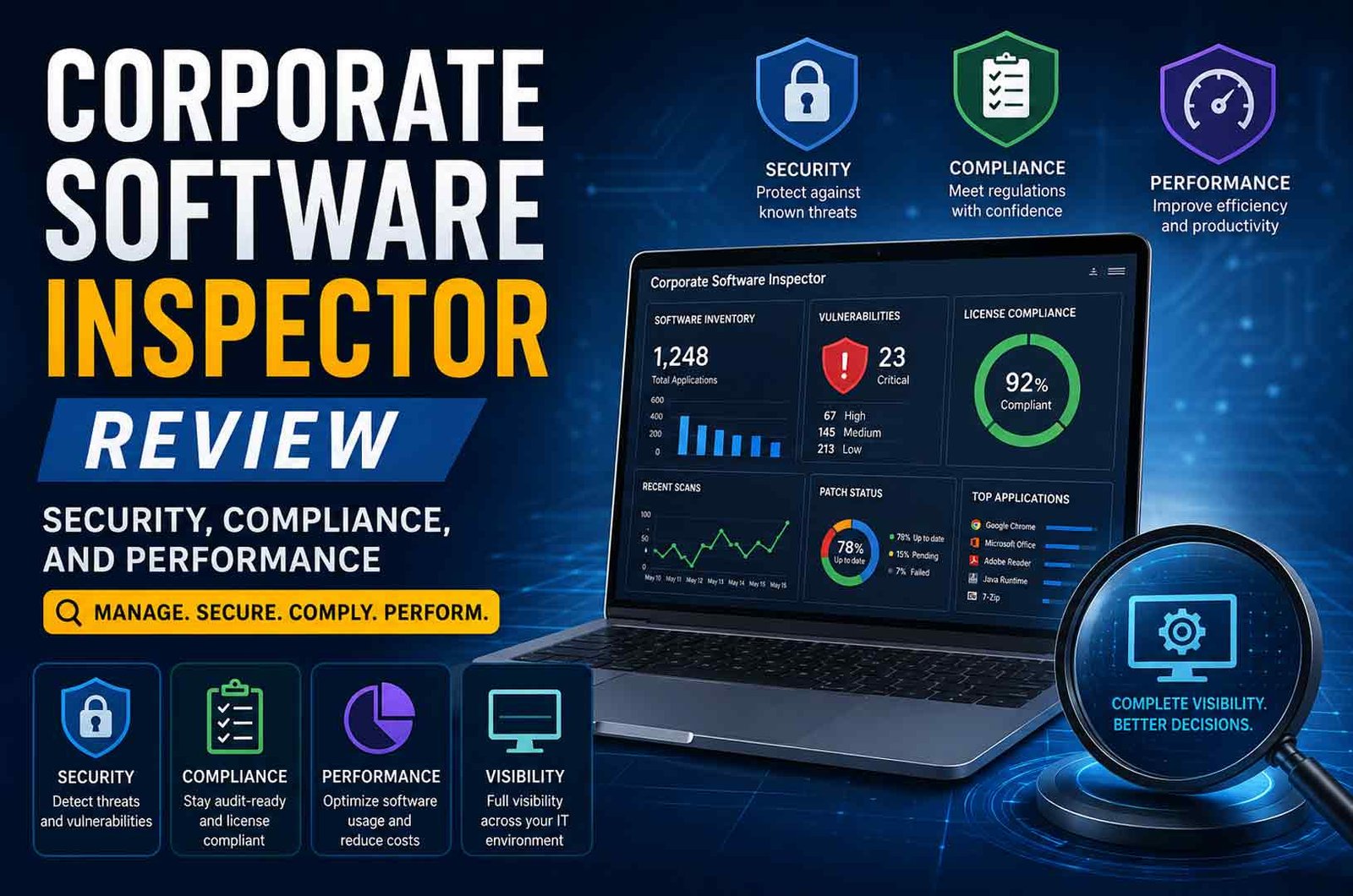
Corporate Software Inspector is a tool used by businesses to manage software and improve security. Many companies search for it because they need better control over their software, licenses, and risks.
Modern IT environments are complex. Organizations use many applications across devices, servers, and cloud systems. Without proper control, this can lead to security problems, compliance issues, and higher costs.
In this article, you will learn what Corporate Software Inspector is, why businesses use it, how it works, and what features it offers.
What Is Corporate Software Inspector?
Corporate Software Inspector is a software solution that helps organizations find, monitor, and manage all software installed on their systems.
It works as both a software asset management tool and a security solution. It does not only list software. It also checks if software is safe, updated, and properly licensed.
The tool scans computers, servers, and cloud systems. It collects data such as:
-
Software name
-
Version
-
Installation details
-
Usage information
This data is stored in a central system. IT teams can then see everything in one place.
Corporate Software Inspector was first developed under Secunia. It is now part of Flexera’s product line. Over time, it has grown from a simple scanning tool into a full system that handles vulnerability detection, patching, and reporting.
Today, it is also known in some cases as Software Vulnerability Manager. This reflects its broader role in managing the full lifecycle of software risks.
Why Businesses Need Corporate Software Inspector
Managing software manually is difficult, especially in large organizations. Companies may use hundreds or thousands of applications. Without a proper system, it becomes hard to track what is installed and whether it is safe.
One major problem is lack of visibility. Many businesses do not know:
This creates several risks.
Outdated software often contains known vulnerabilities. These weaknesses can be used in cyberattacks. Unauthorized software, also known as shadow IT, can introduce additional security risks.
Another issue is license compliance. Companies must follow software licensing rules. If they use more licenses than allowed or install unapproved software, they may face penalties during audits.
Manual tracking methods, such as spreadsheets, are not reliable. They are often outdated and depend on human input. Errors are common.
Corporate Software Inspector solves these problems by:
It also helps businesses reduce costs. Many organizations pay for software they do not use. By identifying unused or duplicate applications, the tool helps optimize spending.
For modern businesses, software inspection is no longer optional. It is necessary for security, compliance, and efficient IT management.
How Corporate Software Inspector Works
Corporate Software Inspector uses an automated process to manage software across an organization. It works continuously and updates information in real time.
The process follows four main steps.
Scanning and Discovery
The system scans all devices in the network. This includes desktops, laptops, servers, and sometimes cloud systems.
It detects:
-
Installed applications
-
Operating systems
-
Software versions
-
System configurations
This creates a complete and accurate software inventory. Authenticated scanning helps reduce errors and false results.
Vulnerability Detection
After building the inventory, the tool checks each application against a vulnerability database.
It uses known data, such as CVE records, to find security issues. Each risk is then ranked based on:
-
Severity
-
Exploitability
-
Impact on the system
This helps IT teams focus on the most important problems first.
Patch Application
Once vulnerabilities are identified, the tool provides fixes.
Corporate Software Inspector can:
-
Apply patches automatically
-
Use pre-configured update packages
-
Schedule deployments through tools like SCCM or WSUS
This reduces the time needed to fix security issues.
Rescanning and Reporting
After updates are applied, the system scans again to confirm that issues are resolved.
It also generates reports that show:
-
Security status
-
Patch progress
-
Compliance results
These reports are useful for audits and decision-making.
Key Features of Corporate Software Inspector
Corporate Software Inspector includes several features that help organizations manage software more effectively.
Automatic Software Discovery
The tool continuously scans systems to detect all installed software. This removes the need for manual tracking.
It ensures that even hidden or unauthorized applications are identified.
Centralized Software Inventory
All collected data is stored in one place. This allows IT teams to see the full software environment in a single dashboard.
It improves visibility and simplifies management.
Vulnerability Scanning
The system checks software against a regularly updated database of known vulnerabilities.
It provides accurate and verified information from trusted sources. This helps organizations identify risks quickly.
Patch Management
Corporate Software Inspector offers strong patch management capabilities.
It provides:
This makes it easier to keep software updated.
License Tracking and Compliance Monitoring
The tool tracks software licenses and compares them with actual usage.
It helps detect:
-
Overused licenses
-
Unused licenses
-
Unauthorized software
This ensures compliance and reduces financial risks.
Usage Analytics and Optimization
The system analyzes how software is used across the organization.
It identifies:
-
Frequently used tools
-
Rarely used applications
-
Redundant software
This helps reduce unnecessary costs.
Reporting and Dashboards
Corporate Software Inspector provides real-time dashboards and detailed reports.
These reports help:
-
Monitor compliance
-
Track security risks
-
Support audits
-
Improve decision-making
Security Capabilities and Protection
Security is one of the main reasons organizations use Corporate Software Inspector.
The tool helps identify software that may expose systems to attacks. This includes outdated applications, unsupported software, and known vulnerabilities.
It uses verified vulnerability intelligence to detect risks. These risks are then prioritized so that critical issues can be fixed first.
Continuous monitoring ensures that new threats are detected quickly. Alerts notify IT teams when action is needed.
Patch management also plays a key role in security. By applying updates automatically, the tool reduces the time systems remain vulnerable.
Corporate Software Inspector can also integrate with other security systems. This improves overall protection and allows better coordination between tools.
Organizations using automated patching and vulnerability management often reduce their attack surface significantly. This makes it harder for attackers to exploit weaknesses.
Compliance and License Management
Software compliance is important for all organizations. Companies must follow licensing agreements and regulatory standards.
Corporate Software Inspector helps by tracking all software licenses and comparing them with actual usage.
It identifies:
This allows organizations to correct issues before audits.
The tool also supports compliance with major standards, such as:
-
ISO 27001
-
NIST
-
HIPAA
-
GDPR
It generates reports that are useful during internal and external audits. These reports provide clear evidence of compliance.
By automating compliance monitoring, the tool reduces manual work and lowers the risk of penalties.
Performance and Efficiency
Corporate Software Inspector improves IT performance by automating many tasks.
Manual software management takes time and often leads to errors. Automation reduces this workload and improves accuracy.
Patch deployment becomes faster. Instead of taking weeks, updates can be applied in days.
Real-time dashboards allow IT teams to quickly understand system status. This helps in faster decision-making.
The tool also improves resource usage. By identifying unused software, organizations can remove unnecessary applications and reduce costs.
Overall, it helps IT teams work more efficiently while maintaining better control over software environments.Supported Platforms and Integrations
Corporate Software Inspector works across common enterprise systems. It supports:
This allows organizations to manage software in mixed environments without using separate tools.
Integration is an important part of how the system works. It connects with existing IT tools instead of replacing them.
Key integrations include:
-
Microsoft SCCM (System Center Configuration Manager) for patch deployment
-
Windows Server Update Services (WSUS) for update management
-
IT service management tools like ServiceNow and BMC Remedy
-
Security tools (SIEM systems) for threat monitoring
-
CMDB systems for asset tracking
These integrations allow Corporate Software Inspector to fit into current workflows. IT teams can manage updates, track assets, and monitor risks from one connected system.
Benefits of Using Corporate Software Inspector
Corporate Software Inspector provides several practical benefits for businesses.
-
Improved security It detects vulnerabilities and helps fix them quickly. This reduces the risk of cyberattacks.
-
Better software visibility Organizations can see all installed software in one place.
-
Reduced IT costs It identifies unused or duplicate software. This helps reduce unnecessary spending.
-
Stronger compliance It tracks licenses and prepares reports for audits.
-
Faster audits Reports are generated automatically. This saves time during compliance checks.
-
Less manual work Automation handles repetitive tasks like scanning and reporting.
-
Better decision-making Data from reports helps IT teams plan software use more effectively.
These benefits make the tool useful for organizations that want better control over their software environment.
Drawbacks and Limitations
Corporate Software Inspector has some limitations that organizations should consider.
-
No clear public pricing Pricing details are not openly available. Most enterprise tools use custom pricing.
-
Setup complexity Implementation may require planning and technical knowledge.
-
Dependence on integrations Full value is achieved when connected with other IT tools like SCCM or WSUS.
-
Not ideal for very small teams Smaller organizations may find it too complex or unnecessary.
These limitations do not reduce its usefulness, but they affect how easily it can be adopted.
Common Use Cases
Corporate Software Inspector is used in many industries where software management is important.
-
Large enterprises Manage thousands of applications across different systems.
-
Healthcare organizations Maintain compliance with standards like HIPAA and protect patient data.
-
Financial institutions Secure sensitive financial information and meet regulatory requirements.
-
Government agencies Maintain strict security and compliance controls.
-
Education sector Manage software across multiple campuses and devices.
-
Remote and hybrid workplaces Monitor software across distributed teams and locations.
These use cases show that the tool is most valuable in environments with complex software systems.
Corporate Software Inspector vs Traditional Methods
Traditional software management relies on manual tracking and periodic checks. Corporate Software Inspector replaces this with automation and continuous monitoring.
Key differences include:
-
Discovery
-
Compliance
-
Reporting
-
Accuracy
-
Time required
-
Traditional: High
-
CSI: Low
This comparison shows why many organizations move to automated solutions. It improves accuracy and saves time.
Best Practices for Using Corporate Software Inspector
Organizations can get better results by following a few simple practices.
-
Run regular scans to keep data updated
-
Review reports to identify risks early
-
Remove unused or duplicate software
-
Monitor licenses to avoid compliance issues
-
Keep software updated with patches
-
Train employees on approved software use
These steps help maintain an accurate and secure software environment.
Common Challenges and Troubleshooting
Managing software at scale is not always simple. Some common issues may occur.
Shadow IT
Employees may install software without approval.
Solution: Use regular scans and alerts to detect unauthorized applications.
Outdated Software
Older applications may not receive updates.
Solution: Track software versions and replace unsupported programs.
Duplicate Applications
Multiple tools may perform the same function.
Solution: Review usage reports and remove unnecessary software.
Integration Issues
Some systems may not connect properly.
Solution: Check compatibility and ensure proper setup during implementation.
Incomplete Data
Incorrect or missing data can affect reports.
Solution: Ensure regular scans and proper configuration of endpoints.
Future Trends and Developments
Corporate Software Inspector continues to evolve as technology changes.
Future developments may include:
-
Artificial intelligence (AI) AI can help detect risks faster and improve automation.
-
Predictive analytics Systems may predict software issues before they occur.
-
Cloud-based management More tools will support remote and cloud environments.
-
Zero-trust security integration Software inspection will support stricter security models.
-
Smarter automation Reduced manual work and faster response to issues.
These trends show that software inspection tools will become more advanced and more important over time.
Bottom Line
Corporate Software Inspector is a tool that helps organizations manage software, improve security, and maintain compliance.
It combines software tracking, vulnerability detection, and patch management in one system. This makes it easier for IT teams to control complex environments.
It is most useful for medium to large organizations that manage many applications. While setup may require effort, the long-term benefits include better security, lower costs, and improved efficiency.
(FAQs)
How does Corporate Software Inspector work?
It scans systems, builds a software inventory, detects vulnerabilities, applies patches, and generates reports.
Can it improve cybersecurity?
It identifies vulnerabilities and helps fix them through updates and patch management.
Does it help with software licensing compliance?
It tracks licenses and detects overuse, underuse, and unauthorized software.
Is Corporate Software Inspector suitable for small businesses?
It can be used by small businesses, but it is more useful for medium to large organizations.
What platforms does it support?
It supports Windows, macOS, and Red Hat Enterprise Linux.
How is it different from manual tracking?
It automates discovery, monitoring, and reporting, which reduces errors and saves time.
Keep Reading:
G Plus Games Explained: Features, Safety, and How to Play Online








 Life Style1 year ago